Paperwork, signed in minutes.

No printing. No scanning. No chasing.

Signed

Your client signs from their phone. You get it back the same day. Free to start, no card needed.

Paperwork, signed in minutes.

Fill any form, send a secure link, and get it back signed from any phone.

The old way

You know this routine.

I'll look at it later.

They sign from the link on their phone. Reminders go out on day 2 and day 5 without you lifting a finger.

Did you get my invoice?

Invoice with a payment link, reminders on the dates you pick. It stops the moment they pay.

Can you fax that over?

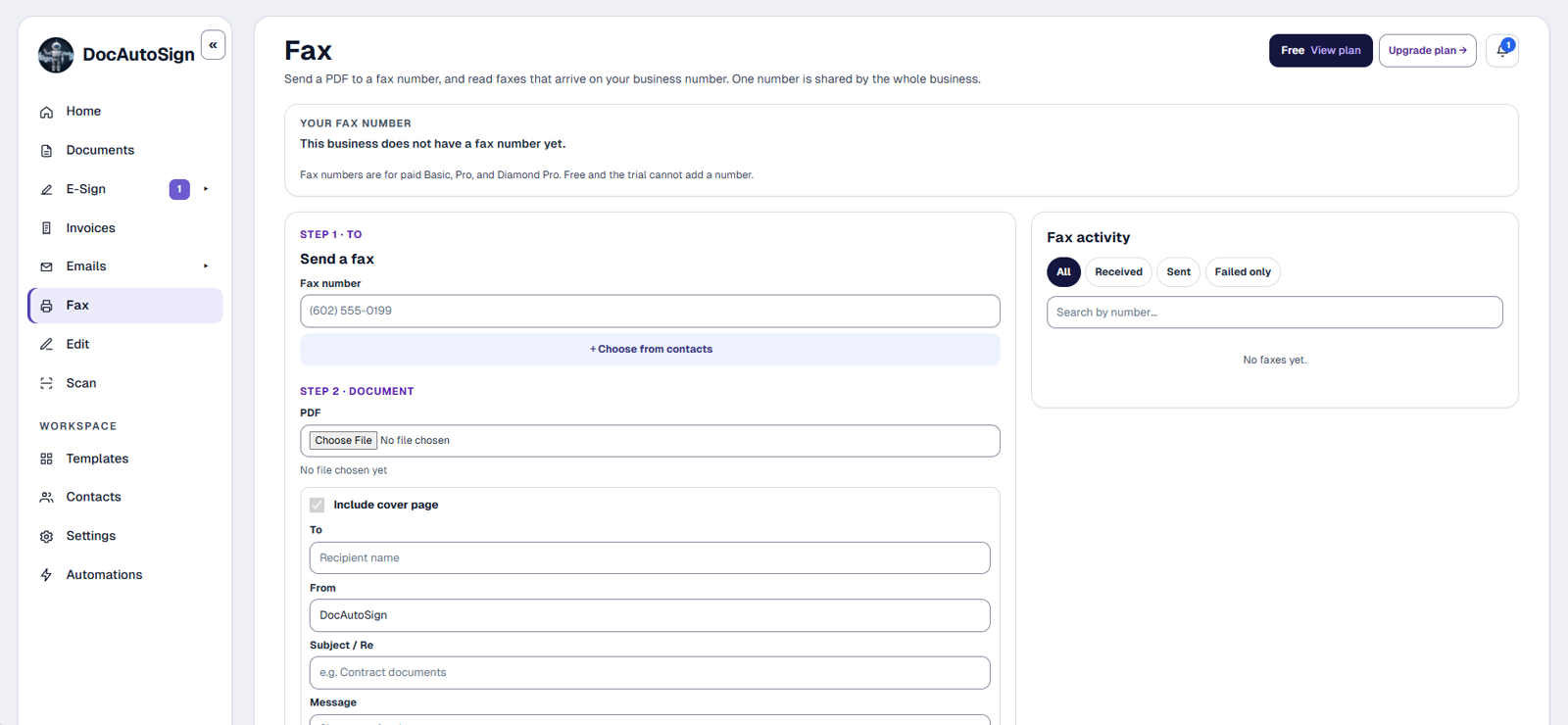
Yes. From the browser. No machine, no toner, no trip.

One workspace

Documents, signatures, invoices, fax and email. One side menu.

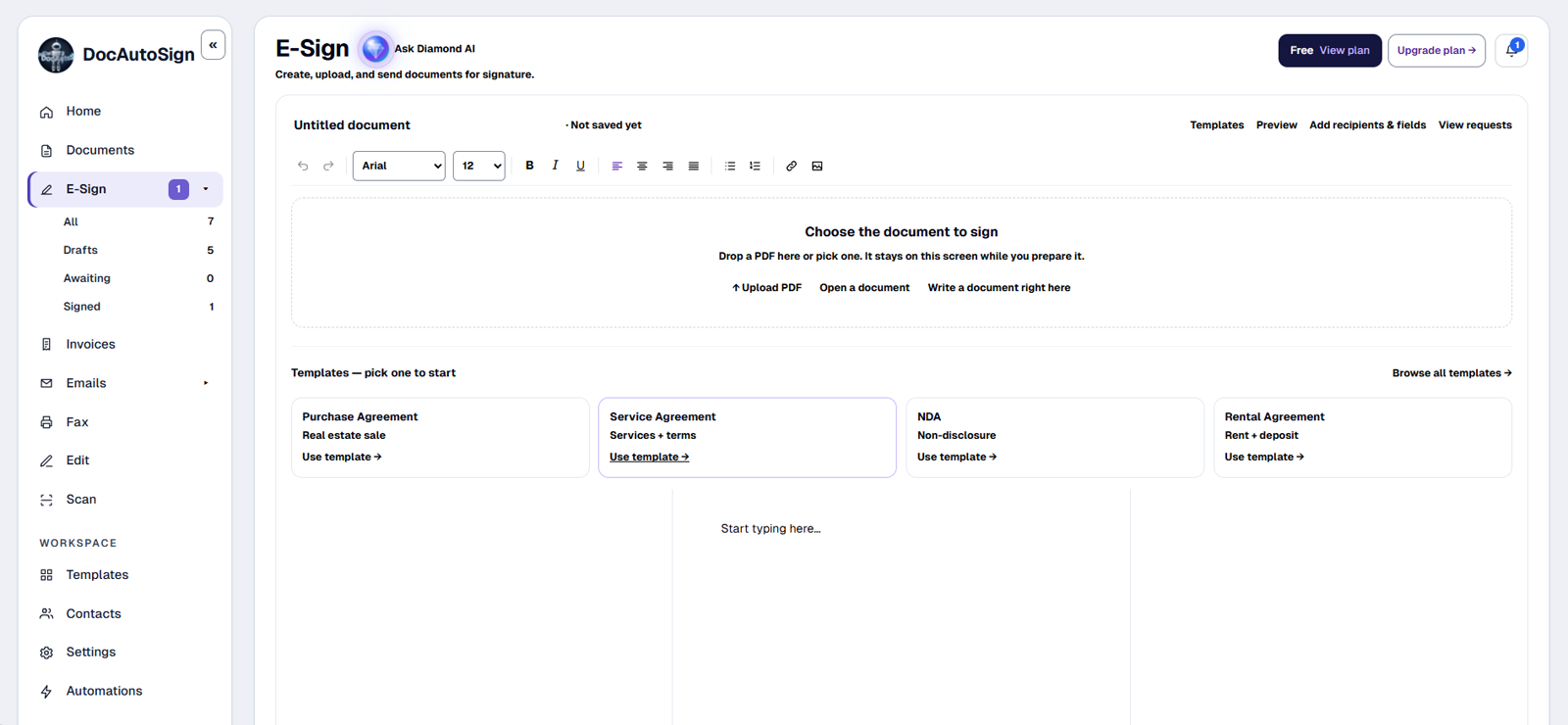
This is the screen you get after you sign in. Each tool is one click in the menu on the left.
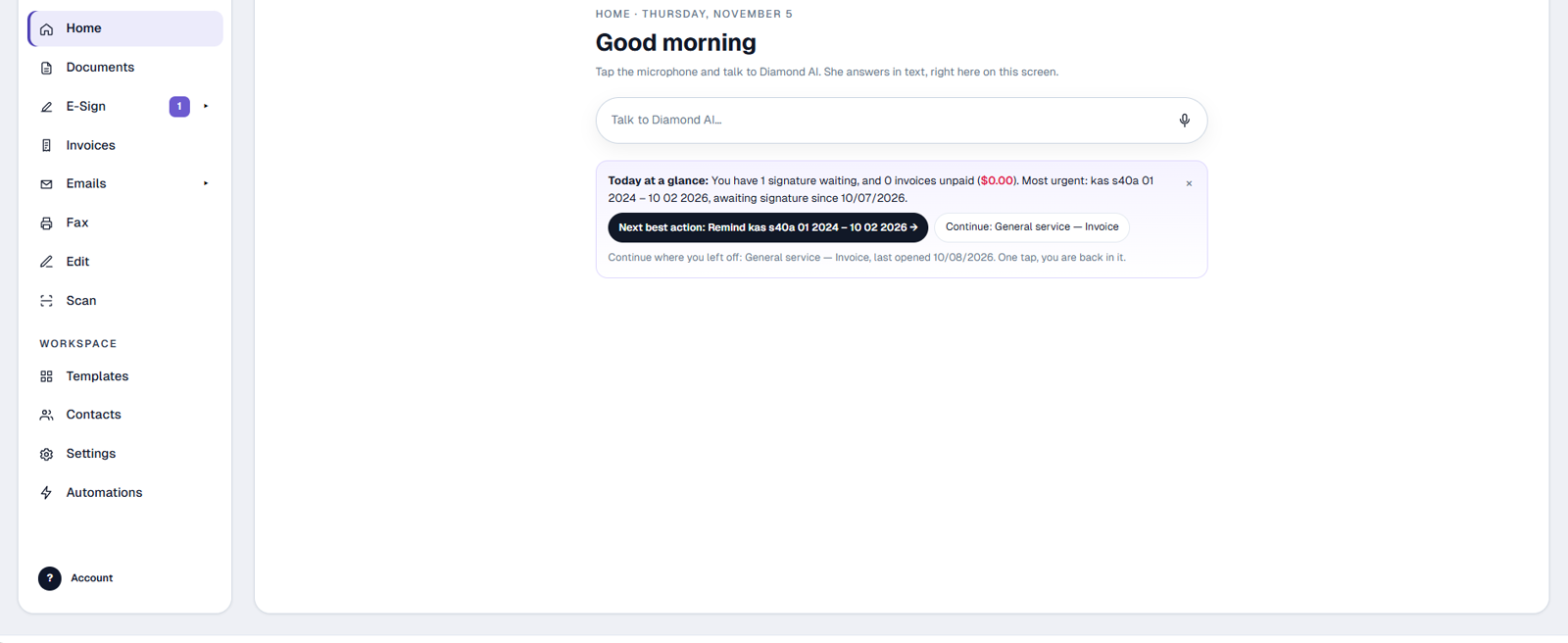
Try it

Sign here.

Draw your signature on the document. That is the whole job for your client.

Signed Audit trail attached Dated today ✓ Complete
Nothing is saved. This is only a demo.
How it works

From upload to signed in three steps.

1

Upload or scan

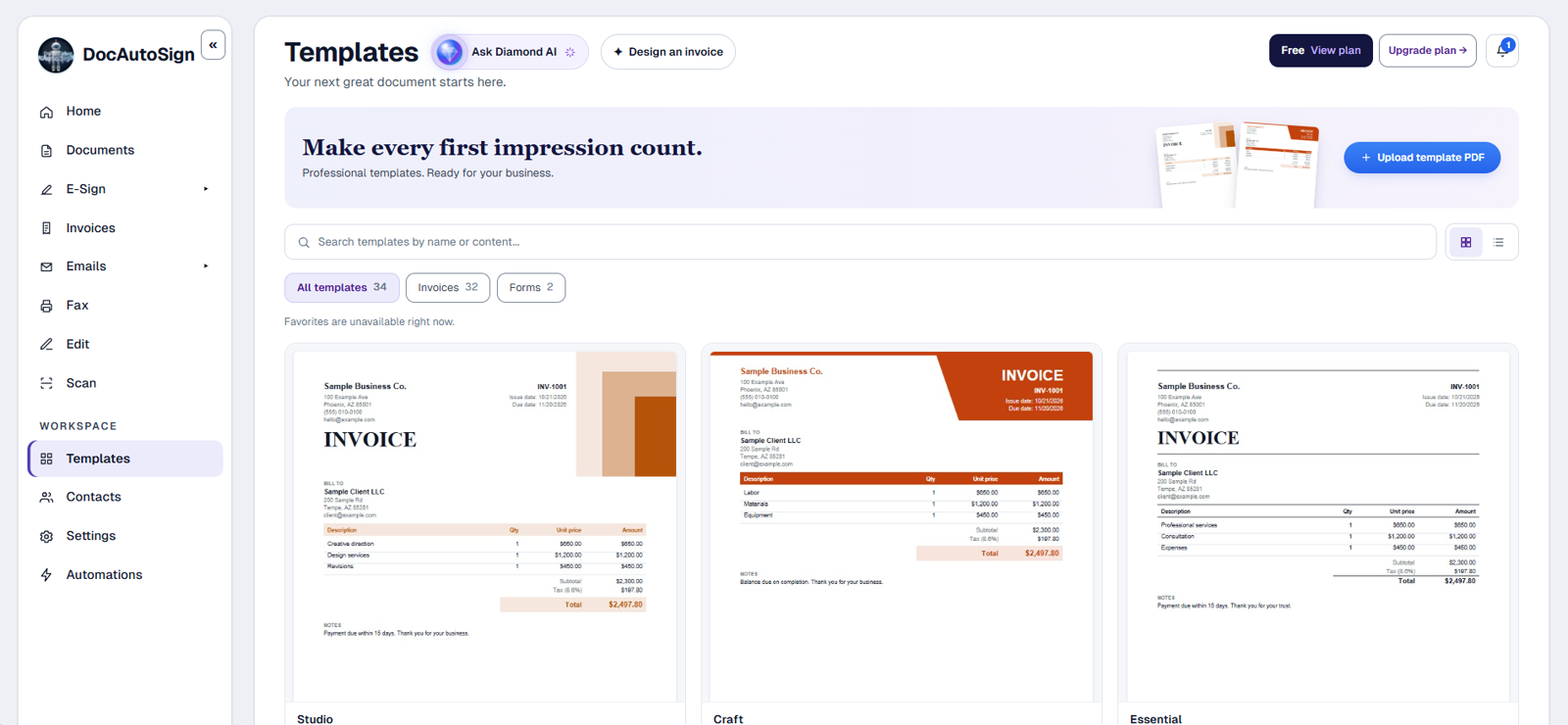
Drop in a PDF, snap a photo of paper, or start from a saved template.

E-Sign upload area
2

Fill and add fields

Fill in what you know, then add signature, initials and date fields for each signer.
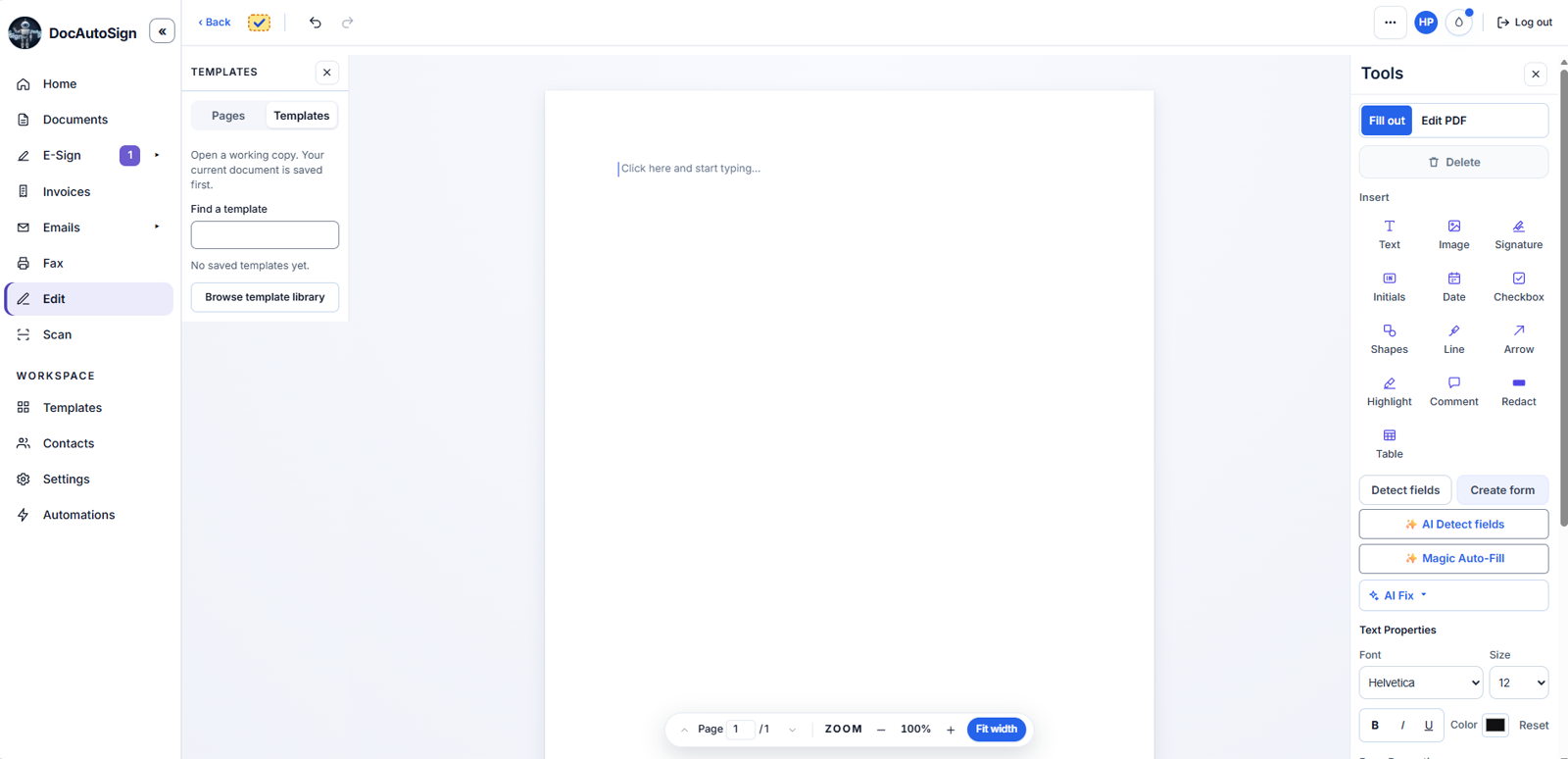
The document editor with the Tools panel
3

Send and collect

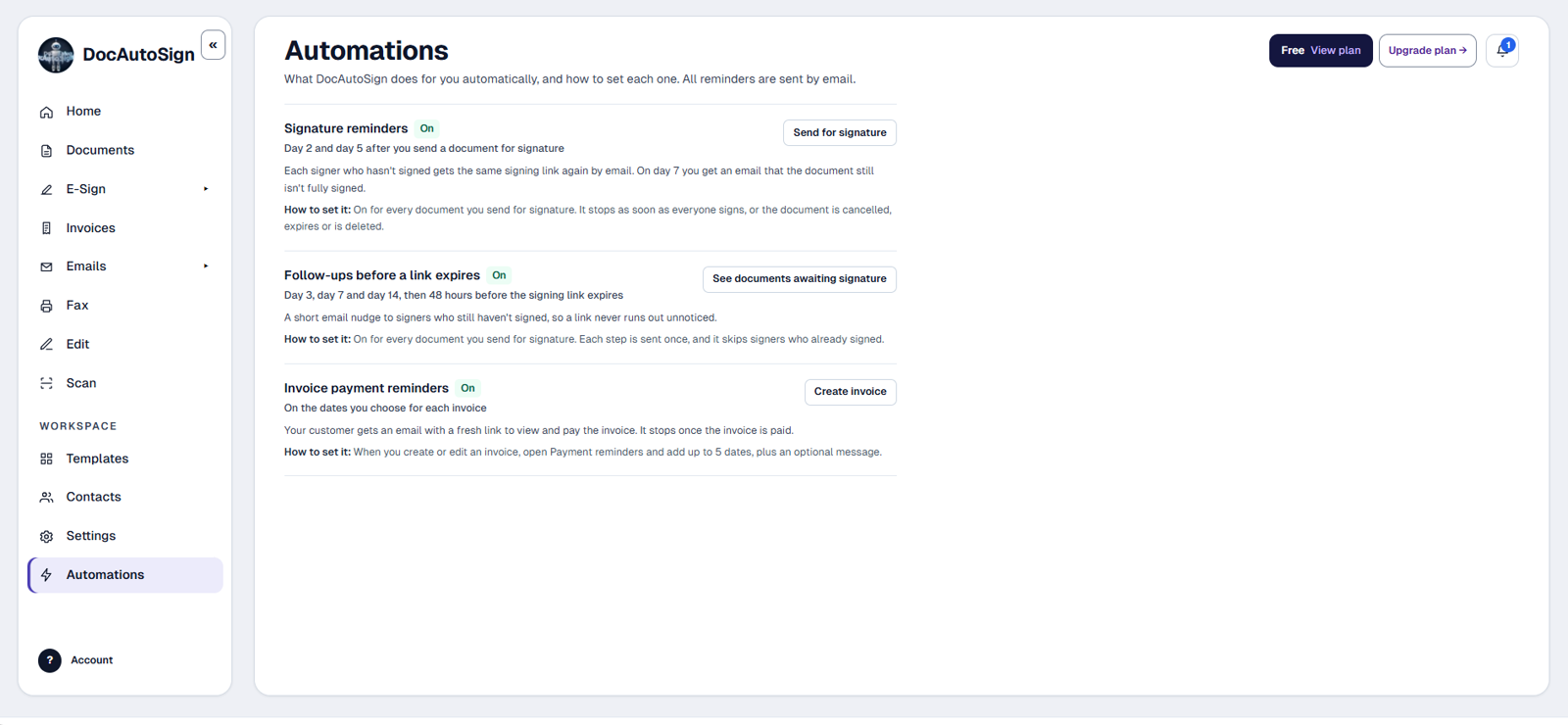
Signers get a secure link. Reminders go out on their own. You see who signed and who is pending.

Automations screen with reminders turned on
Proof you can show anyone

Every signature comes with an audit certificate.

When the last person signs, DocAutoSign adds a Certificate of Completion to the document. It records who signed, when, from where, and a fingerprint that shows the file was not changed.

  • Document fingerprint (SHA-256)A unique code for the signed file. If one character changes, the code changes. Example: 07b6fa460efe61fc6173833967f4620c0096d96b7d9055d3016c1a2366528844
  • Signer IP address and deviceRecorded by our servers when the signer views, agrees and signs. Example: 203.0.113.24 · iPhone · Safari
  • Exact timestampsSent, viewed, agreed and signed, in local time and UTC. Example: 11/18/2026, 10:44:37 AM MST · 17:44:37 UTC
  • Text message deliveryWhen you send the link by SMS, the signer's phone number and the text message delivery are recorded on the certificate.
  • ESIGN / UETA consentEach signer agrees to use electronic records and signatures before signing, as the U.S. ESIGN Act and UETA require, and the certificate records when.

Sample with made-up names, emails, phone numbers and IP addresses. No customer data.
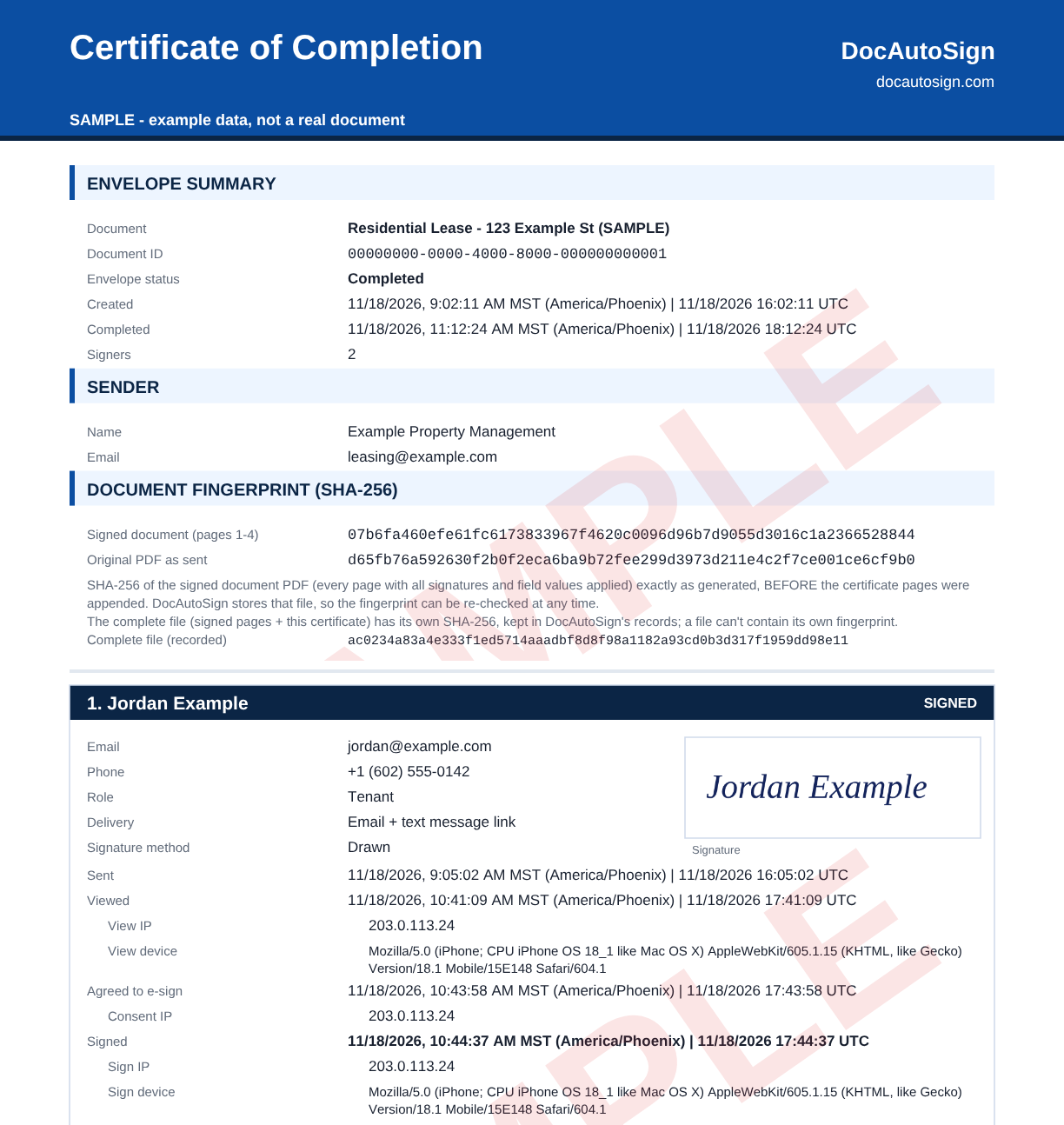
Sample Certificate of Completion with the document SHA-256 fingerprint, the signer's IP address, device and exact signing times, and text message delivery. Example data.
SampleSample Certificate of Completion, the same layout we attach to every signed document.
Pricing

Simple plans that grow with you.

Start free, or try Pro for 14 days. When the trial ends you go back to Free, not a locked account.

Free

Start free. Watermark on Free signed downloads.

$0/mo
No card required
  • 20 e-signs every month
  • 1 user
  • Fill and sign, download with watermark
  • Email: send only
  • 10 invoices a month
  • Fax: pay as you go, 25¢ a page
Start free

Basic

Fill and sign, send for signature, download or print.

$9/mo
 
  • Unlimited e-signs (fair use)
  • 1 user
  • Fill and sign, download included
  • Email: send only
  • Invoices included
  • Fax: pay as you go, 25¢ a page
Get started
Most popular

Pro

2 users, full PDF editor, invoices, and AI writing tools.

$19/mo
 
  • Unlimited e-signs (fair use)
  • 2 users, +$5/mo per extra user
  • Full PDF editor
  • Fax: 350 pages a month
  • Email: send and receive
  • Invoices included
Get started

Diamond Pro

3 users with Diamond AI, shared folders, branding, integrations.

$29/mo
 
  • Unlimited e-signs (fair use)
  • 3 users with Diamond AI
  • Full PDF editor
  • Fax: 500 pages a month
  • Email: send and receive
  • Invoices included
  • Priority support
Get started

Firms, custom quote

Everything in Diamond Pro, custom seats and volume, dedicated onboarding and priority support.

Contact us

Editing tools (text, whiteout, shapes, images) need Pro or higher. Fax pages each month: Pro 350, Diamond Pro 500. Free and Basic pay as you go: a one-time $10 fax number and 25¢ per sent page from a prepaid balance. Compare every feature

Reviews

5.0 from 3 verified reviews.

★★★★★
Great App, works just as needed!! Could not be any better, very user friendly would recommend!!
Alex, Kia
★★★★★
There's a free plan available with no credit card required, which makes it easy to try the service before committing. The paid plans are also reasonably structured, with options for individuals, small teams, and larger businesses.
Manny, KJV LLC
★★★★★
I have been using this for my company and has made signing paperwork quick and simple for my clients and employees.
Enrique R
Read all reviews →
Why DocAutoSign

Built for a real office.

English and Spanish

The same document, both languages. Send and sign in either one.

SMS code verification

Signers confirm with a code sent to their phone before they sign. The signing link can reach them by text message too.

ESIGN and UETA compliant

Encryption in transit and at rest. Audit trail on every signed document.

Get paid at signing

Add a payment to any document. Your client signs and pays by card in one step, and the invoice is marked paid.

AI places the fields

Drop a PDF and the signature, date and initials fields land on the right lines. You only review.

API, webhooks and Zapier

Connect your own tools on every paid plan. Keys and webhooks live in Settings.

FAQ

Questions people ask before they start.

Is it legally binding?
ESIGN and UETA recognize electronic signatures in the United States when their requirements are met. Every signed document includes an audit trail. Some documents require other processes. Check the rules for your document and jurisdiction; this is not legal advice.
How is this different from DocuSign?
Price and scope. Paid plans start at $9 a month with unlimited e-signs under fair use, and the same workspace does invoices, fax and email. No per-envelope caps on paid plans.
What happens when the trial ends, or if my card fails?
You go back to the Free plan. Your documents stay. Nothing gets locked. If a renewal payment fails, we retry for about a week and then move you to Free, with your fax number waiting for you for 3 months. We never keep charging a card that fails.
How are my documents protected?
Encrypted in transit and at rest, with an audit trail on every signed document.
Can I get paid when the client signs?
Yes. Add a payment to the document, or insert an invoice, and your client signs and pays by card in the same step. The invoice is marked paid on its own.
How do I cancel?
From Settings, any time, in one click. No calls, no forms, no cancellation fee. Your plan stays active until the end of the period you already paid, and your documents stay.

Ready to send your next document?

Start free. No card. Your workspace is ready in a minute.